Materials are categorized into three types: samples, reagents, and consumables, all of which can be stored as inventory items.
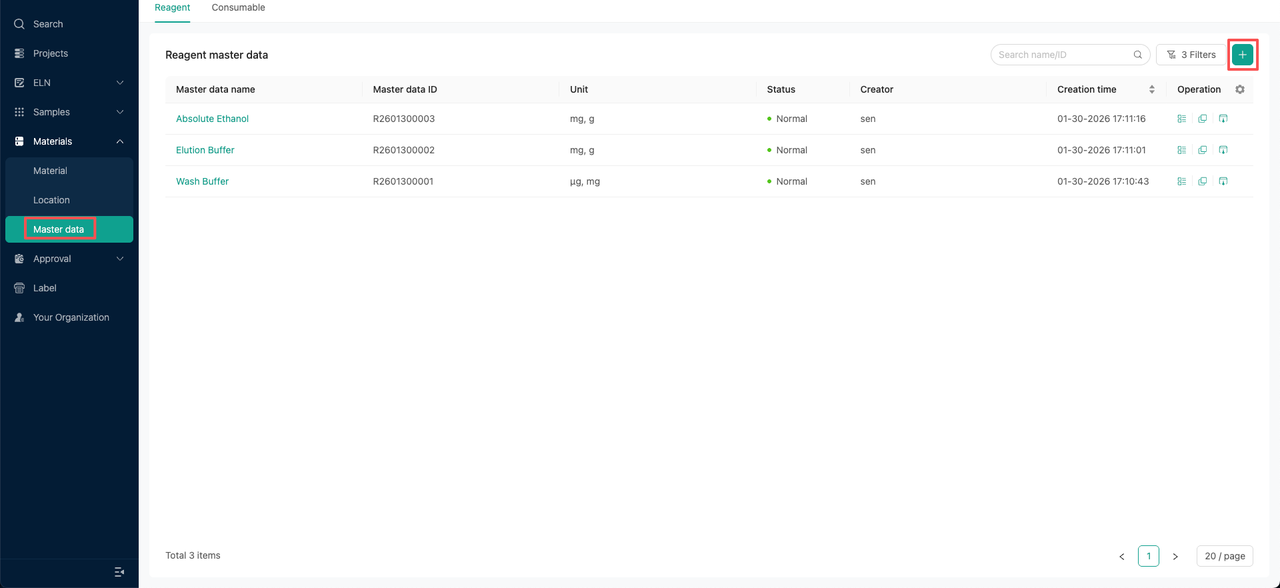
To create inventory materials for reagent consumables, master data needs to be created first. When registering samples, inventory materials for the samples can be directly added synchronously, or inventory information can be added in the inventory section of the sample details.
In a completely new account, users must create master data for inventory materials such as reagents and consumables. When registering samples, inventory materials for the samples can be added at the same time, or inventory information can be added later in the inventory section of the sample details.
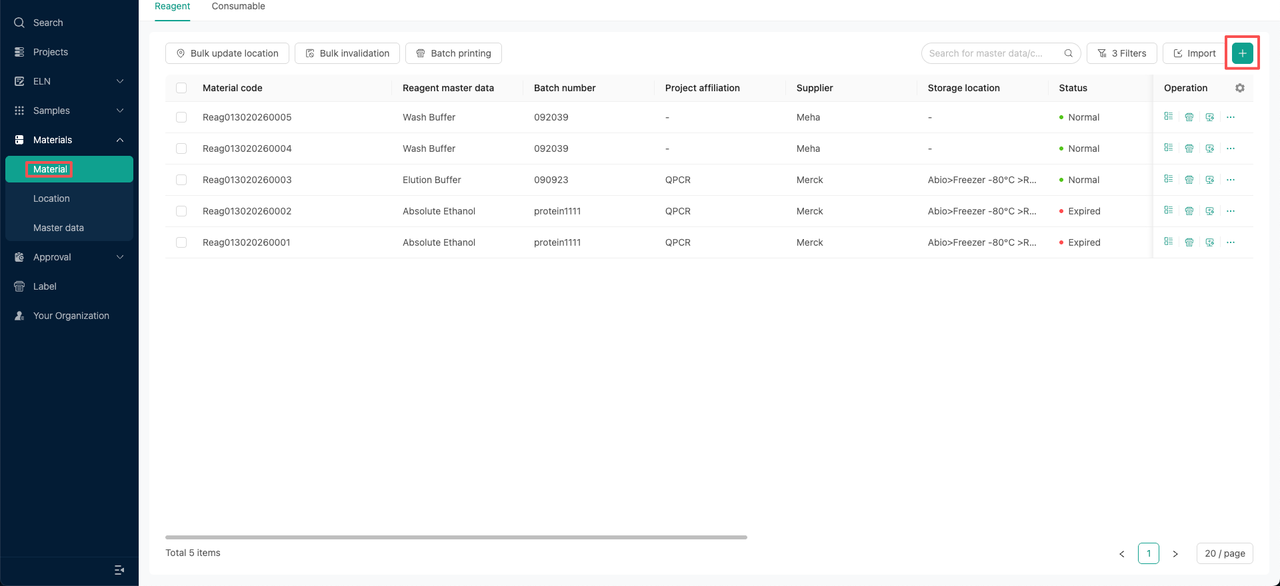
How to add reagent and consumable materials:
Step 1: Create the master data for the reagent or consumable.
Step 2: Add reagent or consumable inventory materials.
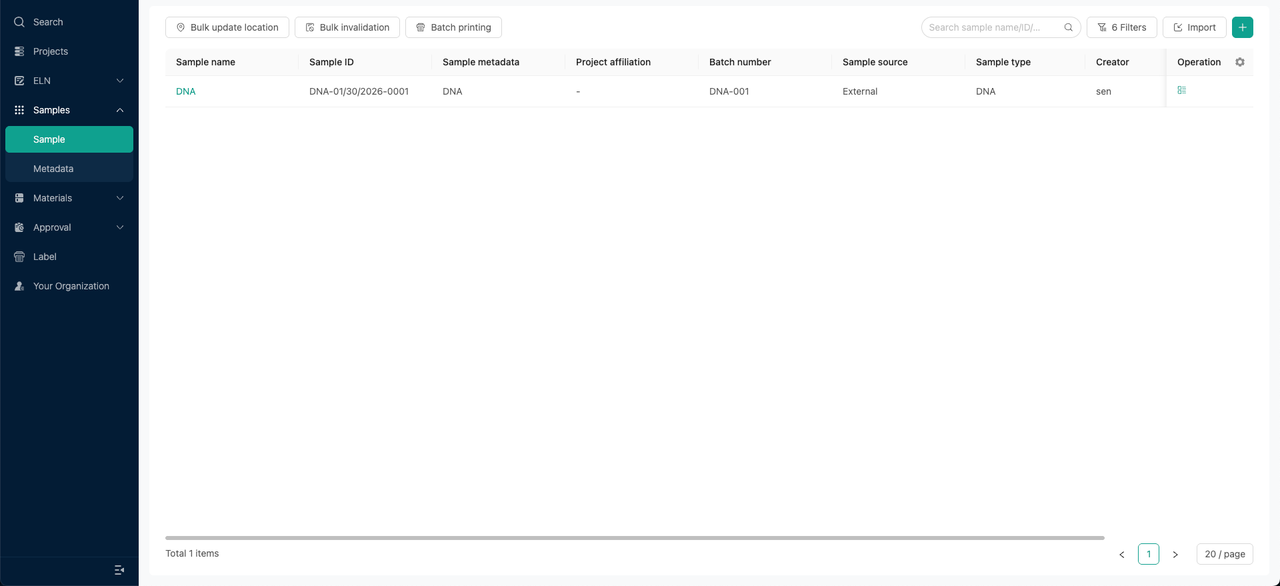
How to add a sample as an inventory material:
Note: If you want to add samples as inventory materials, the master data for the sample must have the "Can be stored in inventory" option selected as "Yes."
Option 1: When registering samples, simultaneously enter the material inventory information of the samples.
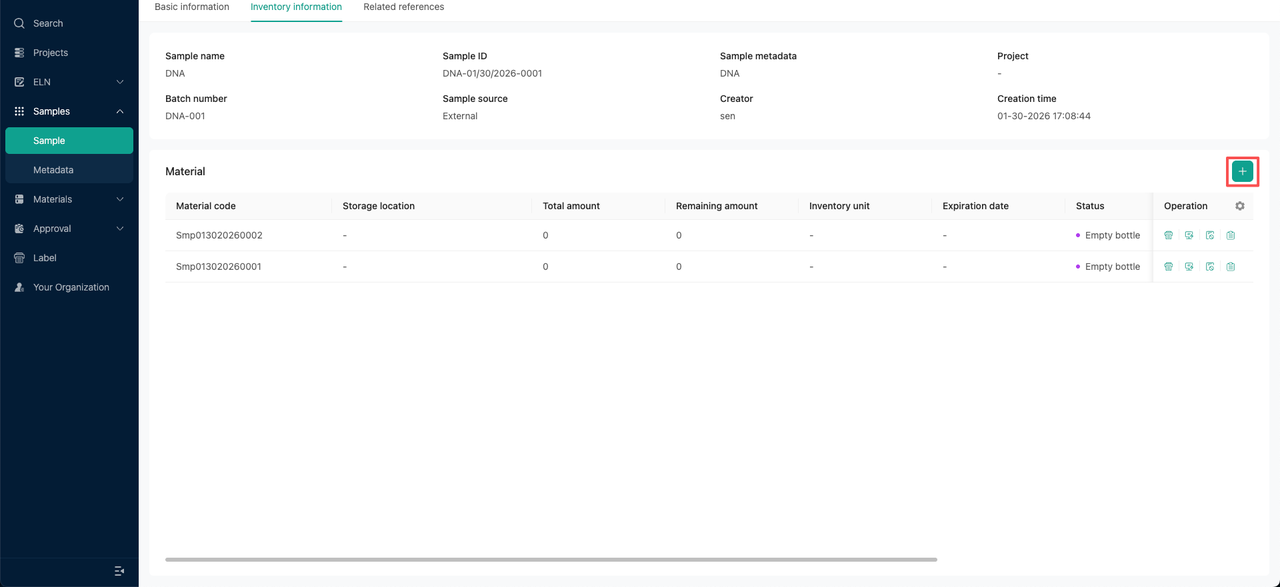
Option 2: Users can also add inventory materials on the sample details page.